TRACE / CONNECTED PROJECT WORKFLOWS
Turn each field day into an attributable project record.
Connect daily records, photographs and field observations to the project record.
Capabilities depend on module, access, source readiness and configured services. TRACE prepares and explains; authorized people approve.
HOW THE WORK CONNECTS
Turn field observations into a record your team can follow.
Capture the day
Record field work, labor and equipment context with supporting photographs and media.
Review the evidence
Keep observations connected to their project context and supporting source records.
Finalize with history
Use supported signature and seal workflows. Append corrections to finalized records rather than overwriting them.
Does a weather forecast prove a delay?
No. Forecasts are external observations. A delay determination needs the project evidence and authorized review.
Availability follows your plan, permissions, source inputs and configuration. Read the workflow scope and limits ↗
Review this workflow with your team ↗Platform: documents, plans and field evidence 11 entries
Organize files, drawings and daily records around their project context.
Module and source availability apply- Project document workspace
Upload, organize and retrieve authorized project files with source identity and extraction status.
- Plan sets and sheets
Register plan sets and sheet records, including supported proposals from uploaded documents.
- Human-attested registration
Review proposed sheets and bulk-register supported records with attribution.
- Immutable plan revisions
Retain prior sheet versions and formal review context.
- Internal document markup
Select a supported PDF/image page, annotate it and use the authorized sharing workflow while preserving original bytes.
- Plan revision comparison
Compare extracted statements and metadata between authorized revisions of the same sheet.
- Photo and media records
Store project images and attachments with content provenance.
- Daily reports
Capture field work, labor/equipment context and supporting media in the daily record.
- Signed daily records
Use supported signature/seal workflows and append corrections rather than overwriting finalized content.
- Weather intelligence
Use project-coordinate forecasts, the current weather bar, ten-day outlook and source-linked weather notices.
- Daily Project Success Brief
Produce a deterministic cited position statement from supported sealed records and contract clocks, including freshness and explicit unknowns.
Text comparison does not compare all pixels or geometry. Forecasts are external observations, not proof that work was weather-delayed.
Source and availability details ↗Platform: quality, safety and permits 11 entries
Record findings and route accountable follow-up through the project.
Module and source availability apply- Inspections
Capture supported inspection records and evidence.
- Observations and deficiencies
Describe issues, assign responsibility and track follow-up.
- Punch items
Maintain completion items and evidence-backed closure under the applicable authority.
- Job walks
Record field walks, observations, due dates, responsible parties and accountable finalization.
- Formal closure rules
Require the supported human determination; a party claim or AI recommendation cannot close an item on its own.
- Safety observations
Capture unsafe-condition reports and corrective actions.
- Incidents and near misses
Maintain incident/near-miss records and human recordability determinations.
- Toolbox talks and training
Record supported safety talks, training and participation evidence.
- Permit screening
Use country/jurisdiction-aware candidate screening with editable federal, state/province and local entries.
- Applicability determinations
Record a project-specific basis for permit applicability.
- Issuance evidence
Require supported clean evidence for issued status and preserve determination history.
These workflows support accountable administration; they do not independently certify site safety, statutory compliance or permit applicability.
Source and availability details ↗See the workflow with your team.
Use a working session to review the records, responsibilities and configuration your project needs.
SEE IT IN TRACE
Open the screen. Follow the work.
See the TRACE workspace behind this capability, with its related navigation expanded and the project record in view.
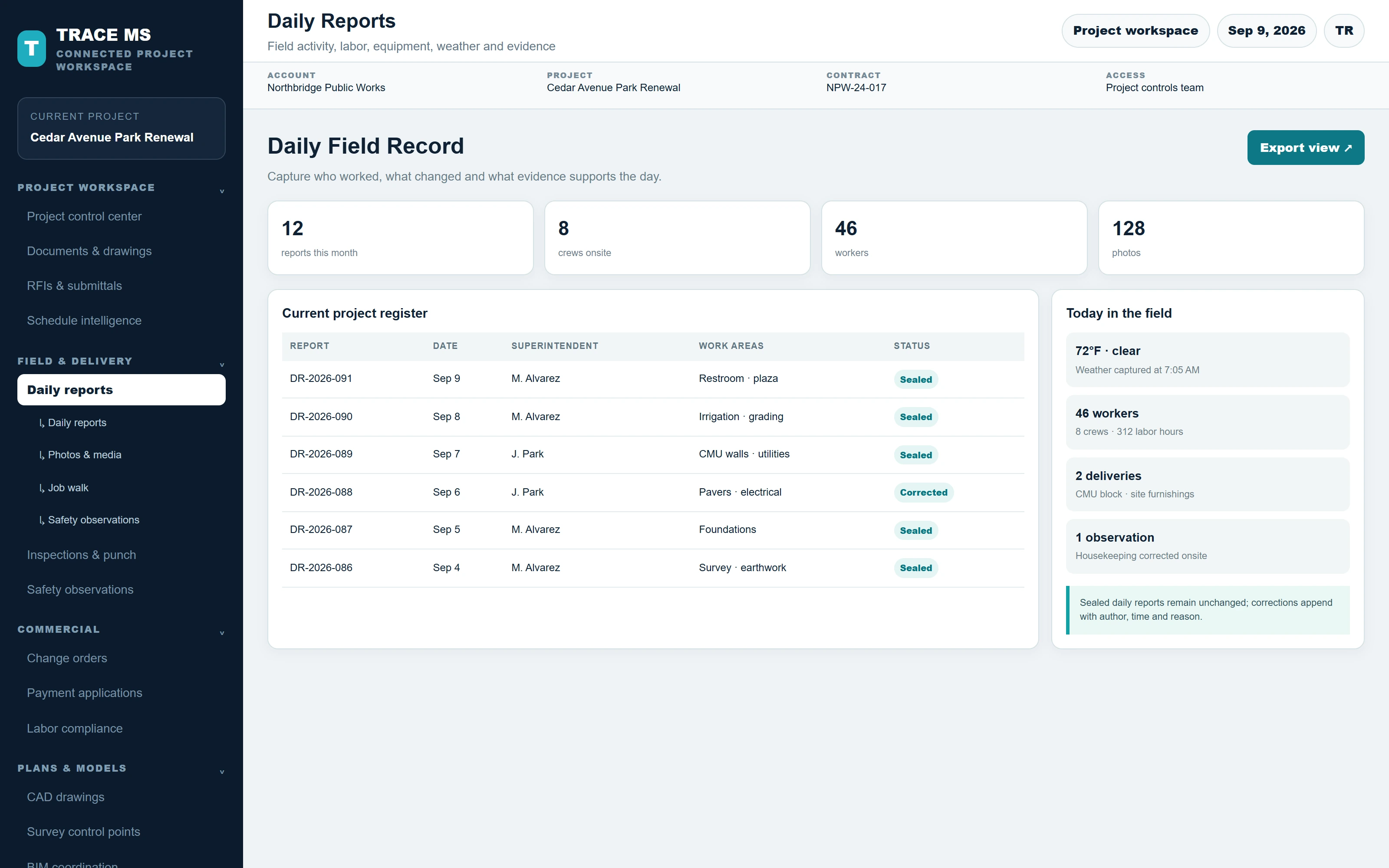
TRACE interface shown with the Cedar Avenue Park Renewal sample project. Menus and capability names match the TRACE workspace. The complete screen scales to the device width.