TRACE / CONNECTED PROJECT WORKFLOWS
Keep RFIs and submittals moving with visible responsibility.
Keep questions, responses and review responsibilities connected.
Capabilities depend on module, access, source readiness and configured services. TRACE prepares and explains; authorized people approve.
HOW THE WORK CONNECTS
Move a question toward an accountable response.
Build the context
Gather the question, specification and plan references, related submittals and supporting attachments.
Route the review
Track the responsible parties, review status and configured response or disposition workflow.
Keep the issued record
Retain the authorized response, sealed history and supported document or transmittal record.
Does preparing a document send or approve it?
No. Drafting and export are separate from sending, issuing or approving a record. Those actions follow the configured workflow and authority.
Availability follows your plan, permissions, source inputs and configuration. Read the workflow scope and limits ↗
Review this workflow with your team ↗Platform: RFIs, submittals and communications 10 entries
Manage the formal exchange of questions, responses and review packages.
Module and source availability apply- RFI register
Track questions, subject, responsible parties, references and current review status.
- RFI supporting context
Associate specification sections, plan references, related submittals and governed attachments.
- RFI response workflow
Record the authorized response, route it through configured review and retain sealed history.
- Submittal register
Organize packages by specification section, assigned parties and review clocks.
- Submittal review
Capture dispositions, review stamps, certifications and accountable finalization.
- Unsigned and sealed artifacts
Preserve supported original/unsigned material alongside the accountable review record.
- Branded record documents
Produce supported RFI, submittal, change-order and payment-application covers from the record and account branding.
- Issued transmittal register
Maintain append-only issued-document history and source associations.
- Meeting management
Prepare agendas, record minutes and action items, and finalize supported meeting records.
- Communication preparation
Preview or print supported records and prepare communication through the configured workflow.
Draft generation and document export are separate from sending, issuing or approving a record.
Source and availability details ↗See the workflow with your team.
Use a working session to review the records, responsibilities and configuration your project needs.
SEE IT IN TRACE
Open the screen. Follow the work.
See the TRACE workspace behind this capability, with its related navigation expanded and the project record in view.
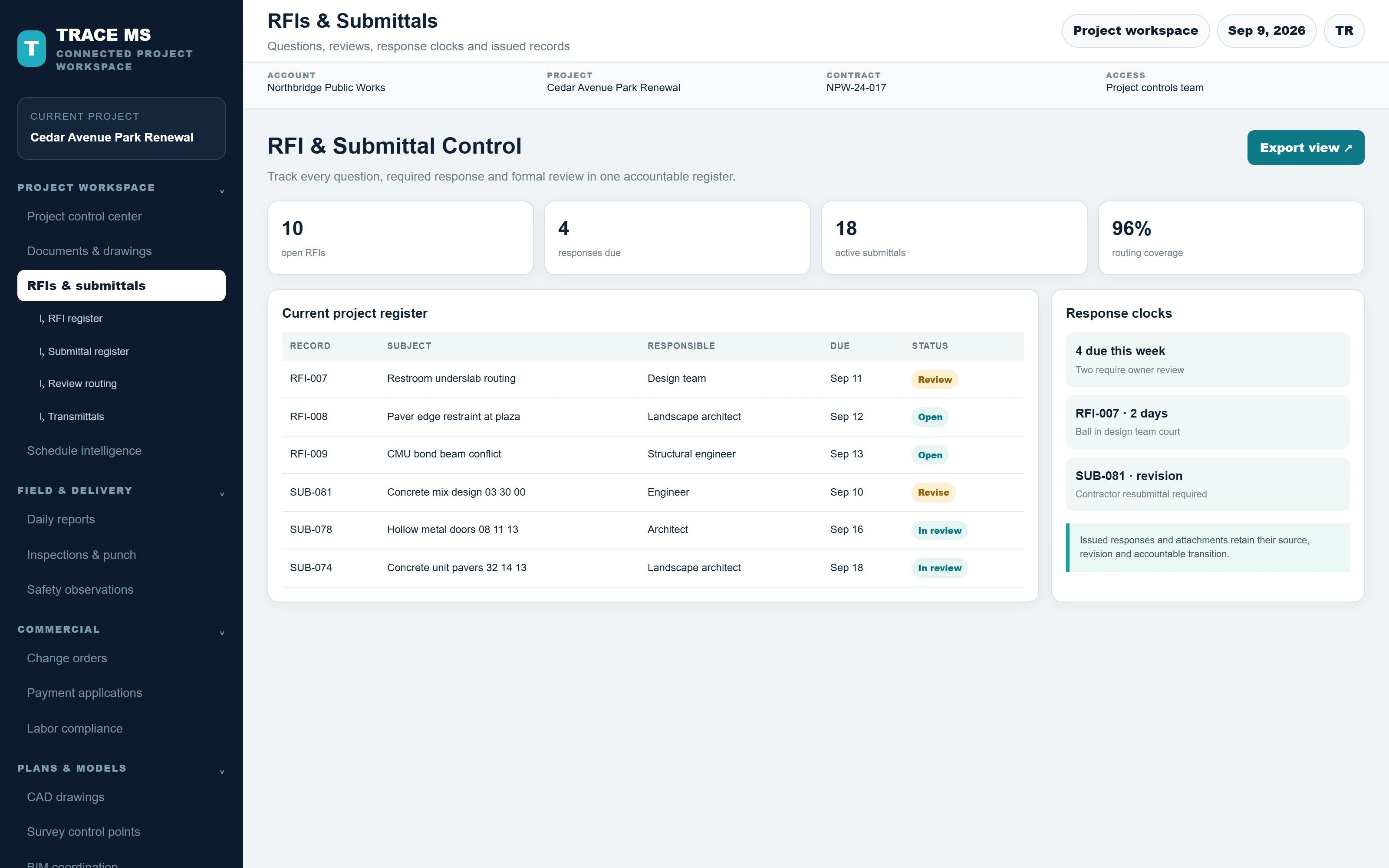
TRACE interface shown with the Cedar Avenue Park Renewal sample project. Menus and capability names match the TRACE workspace. The complete screen scales to the device width.