TRACE / CONNECTED PROJECT WORKFLOWS
Maintain an accountable record for public construction.
Bring requirement tracking, labor compliance and accountable closeout into one workspace.
Capabilities depend on module, access, source readiness and configured services. TRACE prepares and explains; authorized people approve.
HOW THE WORK CONNECTS
Bring requirements, submissions and exceptions into view.
Set the requirements
Configure supported California public-works and project-specific PLA/CWA requirements for the project.
Collect the evidence
Track required submissions, cited wage determinations and applicable apprenticeship, dispatch and workforce records.
Resolve the exceptions
Use deterministic findings to identify gaps and record accountable human resolution.
Does TRACE guarantee compliance for every jurisdiction?
No. Requirements must match the project and jurisdiction. No universal live wage feed, autonomous trade classification or blanket compliance guarantee is included.
Availability follows your plan, permissions, source inputs and configuration. Read the workflow scope and limits ↗
Review this workflow with your team ↗Platform: labor compliance 11 entries
Support configured public-works and project-specific labor evidence workflows.
Module and source availability apply- Compliance profile
Configure the applicable project requirements and supported California public-works / PLA / CWA settings.
- Requirement register
Track required submissions and project-specific evidence.
- Sealed submissions
Receive attributable subcontractor compliance submissions.
- DIR receipt evidence
Record supported registration/receipt information for review.
- Prevailing-wage review
Compare reported classifications against supplied, cited rate determinations; flag unknown or missing classifications.
- Apprenticeship notices
Track DAS 140/142-related evidence and supported requests.
- Apprenticeship ratios
Review configured ratio information against submitted records.
- Training funds
Track supporting contribution evidence.
- Assent and dispatch
Maintain agreement/dispatch-related records where required by the configured profile.
- Local and targeted hiring
Track supported project workforce and hiring commitments.
- Exception findings
Use deterministic checks to identify gaps and document human resolution.
No universal live wage-rate feed, autonomous trade classification or blanket legal-compliance guarantee is included. Time cards and certified-payroll review remain distinct processes.
Source and availability details ↗Platform: closeout, integrations and governance 11 entries
Preserve the operating record and configure external exchange deliberately.
Module and source availability apply- Closeout checklist
Assemble evidence-backed turnover requirements and track completion.
- Human closure acknowledgment
Record accountable closure rather than inferring acceptance from an export.
- Agency package builder
Create supported record snapshots with a sealed manifest and content fingerprints.
- Project archive
Retain supported read-only archived records for authorized access.
- Customer API
Use supported scoped API operations with current authorization and read/write restrictions.
- Integration configuration
Maintain supported provider setup, mapping and connection-health information; unavailable adapters remain unavailable.
- Source and record export
Export supported records, manifests, proof reports and exchange formats.
- Tenant/project separation
Enforce server-side scope and effective permissions across governed endpoints.
- Attributable history
Retain supported audit events, sealed content identity and linked corrections.
- Platform administration
Manage supported account/module licensing, grants, AI usage and operational settings.
- Support and onboarding
Use product help and supported support workflows; configure email, retention, backup and external connections for the deployment.
Named integration catalog entries are not proof of active adapters. SSO/MFA/SCIM, enterprise certifications, failover and restore guarantees require separately verified delivery terms.
Source and availability details ↗See the workflow with your team.
Use a working session to review the records, responsibilities and configuration your project needs.
SEE IT IN TRACE
Open the screen. Follow the work.
See the TRACE workspace behind this capability, with its related navigation expanded and the project record in view.
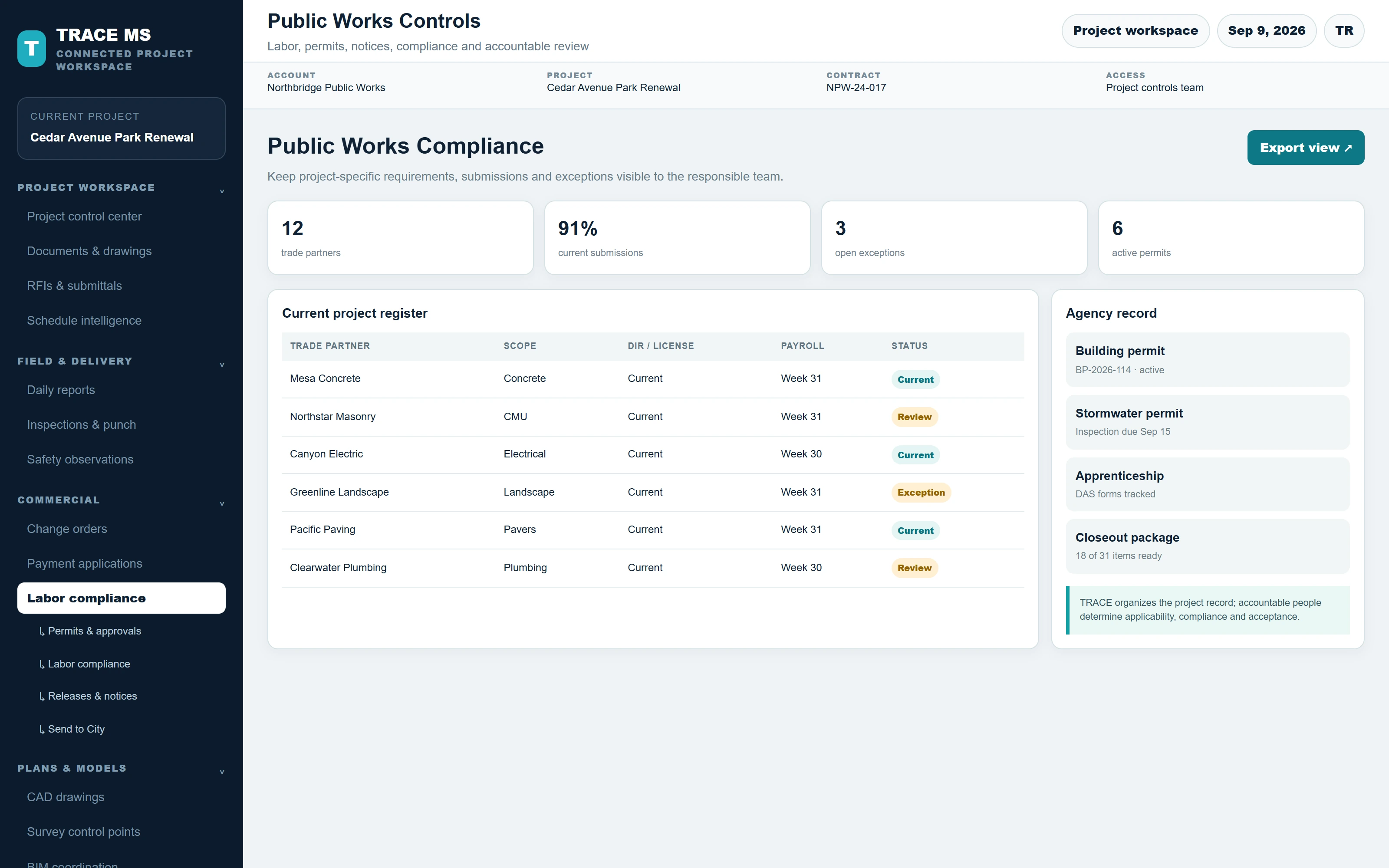
TRACE interface shown with the Cedar Avenue Park Renewal sample project. Menus and capability names match the TRACE workspace. The complete screen scales to the device width.